local · open source · keyboard-first

Command every AI coding agent from one screen.

rook discovers, launches, watches, and drives your coding agents — Claude Code, Codex, Aider & Gemini — from a single local dashboard. See what each is doing, review its diff, and steer it without hunting through terminal tabs.

$ curl -fsSL overclockhq.github.io/rook/install.sh | sh Other ways to install
Claude Code Codex Aider Gemini
rook · operator
rook operator console — live agent roster and workspace
100% local Read-only GitHub by default Keyboard-first MIT open source
What rook does

One screen. Every agent. Full control.

Everything you need to run a fleet of coding agents — see what they're doing, review their work, and keep the cost in check.

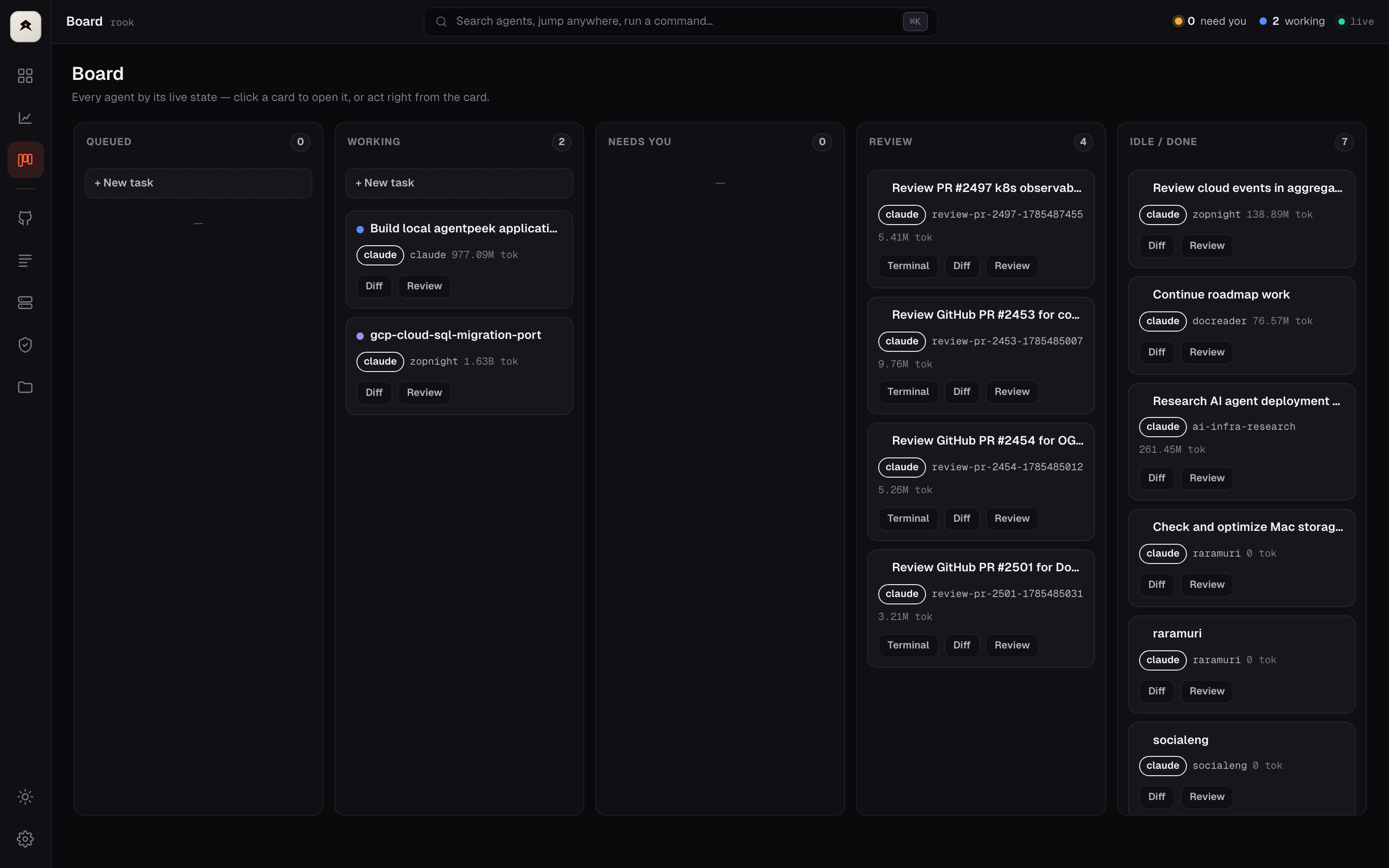
Live roster

Know what every agent is actually doing

A roster that triages for you — who's blocked, who's looping, who's done — in plain English, with a desktop or phone ping the second one needs you.

rook board — agents grouped by live state

Stuck & loop watchdog

rook flags an agent that's spinning on the same edit or waiting too long — before it burns your tokens.

Full PR & issue context

Description, commits, linked issues, reviews and comments — pulled live from GitHub, beside the diff.

Diff-first review

Comment on the diff — the agent gets it

Read the canonical PR diff in-app, drop a comment on any line, and rook types it straight into the agent's session as a tracked thread. No copy-paste, no lost context.

rook diff review with inline comments
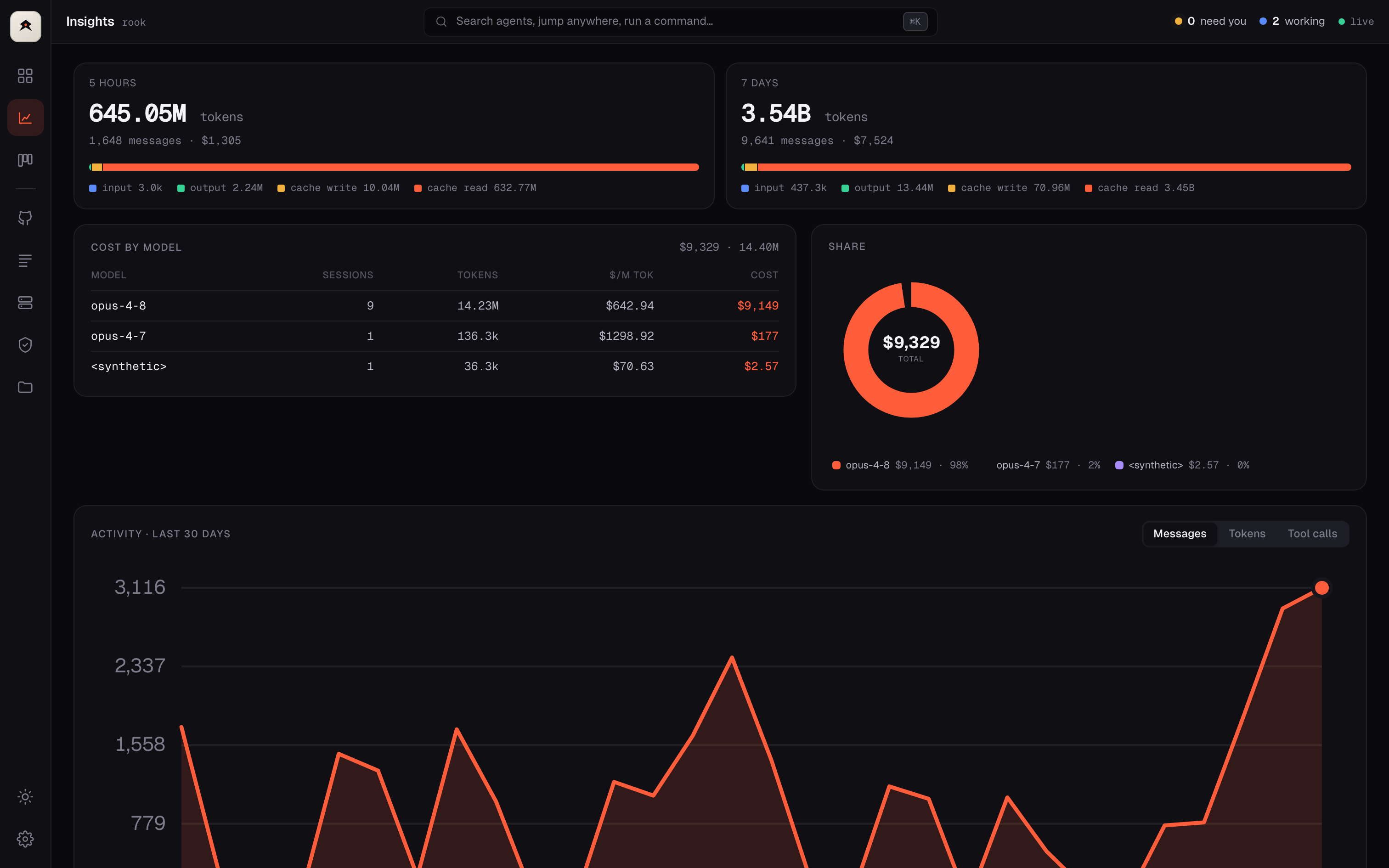
Follow the money

Know where your tokens & cost go

Per-model and per-project cost, 5-hour and 7-day windows, a 30-day trend, and a quality score per run — so you can see which agents are worth it.

rook insights — cost and token breakdown

Reopen anything you closed

Every past session is remembered — resume it with full context, same conversation and history.

Get started

Installed and running in one line

Pure Go, no dependencies. rook binds to 127.0.0.1 and opens your browser automatically.

curl

macOS & Linux
$ curl -fsSL overclockhq.github.io/\
   rook/install.sh | sh
$ rook

Homebrew

macOS / Linuxbrew
$ brew install \
   overclockhq/tap/rook
$ rook

Go

Go 1.26+
$ go install github.com/\
   overclockhq/rook/cmd/rook@latest
$ rook

install tmux to drive agents · gh for GitHub features · both optional

Take command of your agents.

One binary, one screen, everything running on your machine. Free and open source.

$ curl -fsSL overclockhq.github.io/rook/install.sh | sh Star on GitHub